
Upgrades Mac 22 Upgrade
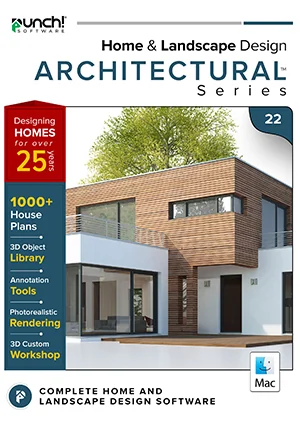
Architectural Series upgrade
Punch! Home & Landscape Design Architectural Series 22 Upgrade for Mac — from Architectural Series, version 20 or later
The flagship, for homes and commercial projects.
- Instant download and licence key by email
- 30-day refund on unactivated licences
- 12 months of support included
Compare editions All upgrade paths
Mac Architectural Series includes Custom WorkShop Pro and LightWorks/LuxCore lighting tools.
Overview
The flagship, for homes and commercial projects.
Designed for architects and professional designers who need the highest level of detail in home and commercial design, remodeling and landscaping — with presentation-ready sheets and photoreal output.
This is the Architectural Series upgrade for Mac 22, priced for customers upgrading from Architectural Series, version 20 or later. You get the full current edition with 12 months of support.
- Floors
- 20
- House plans
- 1,000
- 3D objects
- 5,469
Made for
- Architectural drawings
- Commercial projects
- Smart-home planning
- Home theaters
- Client presentations
- Permit-style sheets


What this edition adds
Everything in Professional, plus:
Plan and integrate security systems into your designs for enhanced safety.
Integrate home automation systems into your design for modern, smart home features.
Design and plan home theater systems for a cinematic experience in your building.
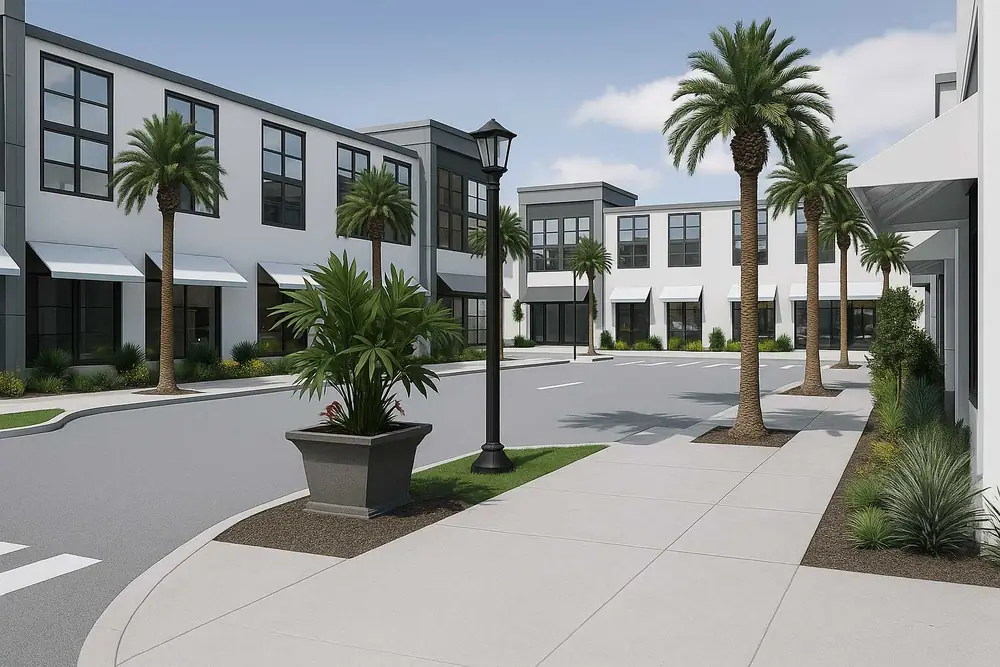
Includes advanced lighting tools for realistic photo rendering.
Every feature in this edition
Compare with the other editionsHome Design23
- Advanced 2D Drawing Engine
- Custom Rich Text
- Material Editor
- Window Shutters
- 3D Cutaway Tool
- Double Doors and Mounting Options
- Advanced Floor Management20 floors
- Floor Plan Trace
- 2D Tracing House Plans1000
- Online Training Center
- Foundation Planner
- HVAC Planner
- Electrical Planner
- Estimator with Room Estimating
- Instant 3D Views
- Automatic and Custom Roof Tools
- Detail Tools
- Dormer Tool
- Metric and Imperial Measurements
- Framing
- Baywall
- Curved Wall Tool
- Room Addition Tool
Interior Design10
- Included 3D Objects*5469
- Over 7640+ Materials
- Accessories / Window Treatments
- Décor Column Tool
- Cabinet Tool
- Cable/Phone/Thermostat
- Security System Tools
- Home Automation Tools
- Outdoor Cabinet
- Home Theater
Landscape Design15
- Spray Topography
- 2D Plant Symbols
- Customizable Plant Sizing
- Over 4000+ Plants
- Landscape and Patio Groupings
- Topography Tools
- Measurement Units
- Deck Layout Tools
- IntelliDeck Tools
- Global Sun Positioning
- Plant Fill
- Ground Fill Region
- Irrigation Tools
- Foundation Slope
- Site Planner (Property Line Coordinates)
Other Features9
- Library Navigation and Preview Control
- 3D Panning
- Point Selection Highlight Guides
- Sky Light
- Drag and Drop into 3D
- Multiple Monitor Support
- Realmodel
- Elevation Editor
- 2D Symbol Library
Visualization10
- 2D
- 3D
- 3D Panning
- 3D Animation
- Room View
- Saved 3D Viewpoints
- Clearview/Wireframe
- Cutaway
- Elevation
- Aerial
Interoperability11
- OBJ File Export
- STL Export
- Import DXF/DWG (2D)
- Export DXF/DWG
- Punch!® 3D Object Import
- SketchUp® Object Import
- Import Material
- Import Plant
- 3D Background image Import
- Image of 3D View in (BMP, JPEG, PNG, TIFF) Import
- Print 3D View
Other Features10
- Custom WorkShop Pro
- PhotoView
- Estimator
- Line Text Styles
- Expandable Fill Patterns
- Lightworks™/LuxCore™ Photo Rendering Lighting Tools
- Level Lines
- Plan Labels
- Note Markers
- 2D House Plans1000
New Features1
- Compatibility with macOS 26 TahoeNew
File formats
Open it, share it, print it.
- Punch!® 3D Objectimport
- Sketchup®import
- DXF/DWG Design (2D Only)import · export
- Image to 3D Material Libraryimport
- Image to Plant Libraryimport
- 3D Background Imageimport
- Image of 3D View in (BMP, JPEG, PNG, TIFF)export
- STL Designexport
- OBJ Designexport
- Print 3D Viewexport
System requirements
Runs on
| OS | macOS 11 Big Sur to macOS 26 Tahoe |
|---|---|
| Processor | Intel x64 or Apple Silicon (M1 and newer) |
| Memory | 8 GB or more |
| Disk | 4 GB free |
| Graphics | OpenGL with 256 MB+ VRAM, 1024×768 |
| Internet | For activation and updates |
Licensing
Plain-language licensing
Questions